

What are direct payments?
Direct payments allow your workspace to settle contracted promoters yourself, outside the Crowdstack managed payout system. Instead of Crowdstack paying the promoter and charging you a managed fee, you transfer the funds directly to the promoter and record the evidence in Crowdstack.
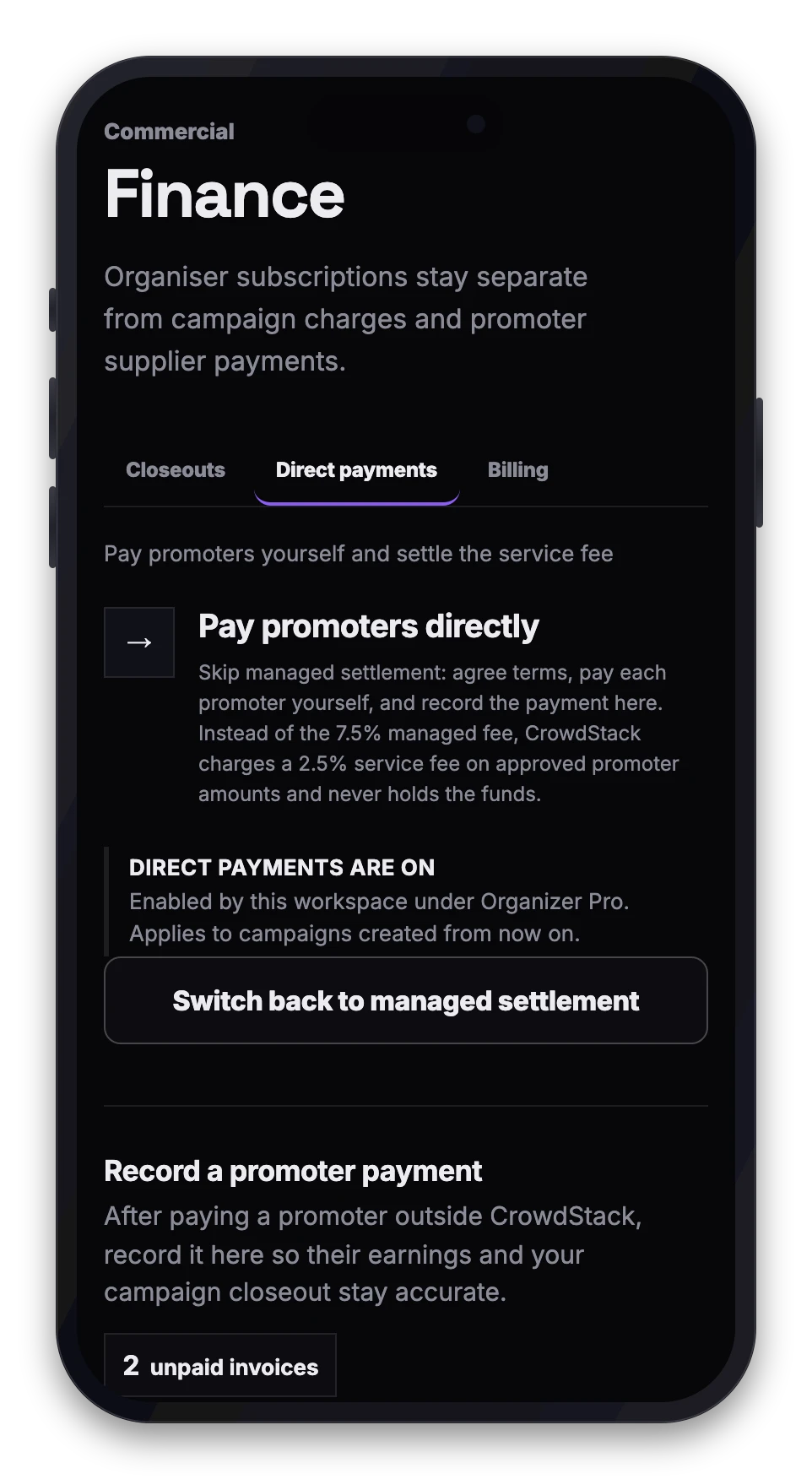
When you use direct payments:
- You retain full control over when and how promoters are paid.
- Crowdstack charges a direct settlement service fee (default 2.5%) on the approved promoter supplier amount.
- You must provide proof of payment, such as an external reference and date.
- Crowdstack does not send, hold or guarantee these funds.
This feature is only available on the Organizer Pro plan.
Enabling direct payments
Direct payments come with the Organizer Pro plan (Crowdstack can also enable them for a workspace by arrangement).
- Go to Finance in your workspace navigation.
- Open the Direct payments tab.
- Turn direct payments on for the workspace.
The change applies to campaigns created from that point on — existing campaigns keep the settlement mode they were created with. Promoters invited to organiser-direct campaigns will expect payment directly from you rather than from Crowdstack.
Recording a direct payment
After you have paid a promoter using your own banking or payment provider, you must record the transaction in Crowdstack to close the invoice.
- Open Finance and select the direct payments view.
- Choose the unpaid invoices you wish to mark as paid. You can only batch invoices for the same workspace, promoter and currency.
- Enter the payment method (for example, bank transfer or Wise).
- Provide the payment date and an external reference number from your bank statement.
- Add an optional note for your internal audit trail.
- Confirm that the payment has been sent.
- Submit the record.
The invoices will update to show a paid status linked to your external evidence.
Disabling direct payments
- Go to Finance and open the Direct payments tab.
- Select Switch back to managed settlement.
Campaigns you create afterwards use managed settlement again, while existing direct campaigns keep their mode and any outstanding direct invoices still need their payments recorded.
If your Organizer Pro subscription lapses instead, you can no longer create new organiser-direct campaigns until the plan is active again — this protects you from being moved back to managed settlement, and its larger fee, without choosing it.
Important considerations
- Plan requirement: Direct settlement is a Pro feature. If your subscription lapses or is cancelled, you lose the ability to initiate new direct campaigns.
- Audit trail: Every direct payment record requires an audit note and external reference. This ensures your financial records match the promoter's invoice history.
- Fees: Even though you pay the promoter directly, the direct settlement service fee still applies to the transaction within Crowdstack.
- Currency matching: When batching payments, all invoices in a single record must share the same currency.