

About direct payments
If you subscribe to the Organizer Pro plan, you can choose to settle contracted promoters yourself rather than using Crowdstack's managed payout service. This is known as an organiser-direct campaign.
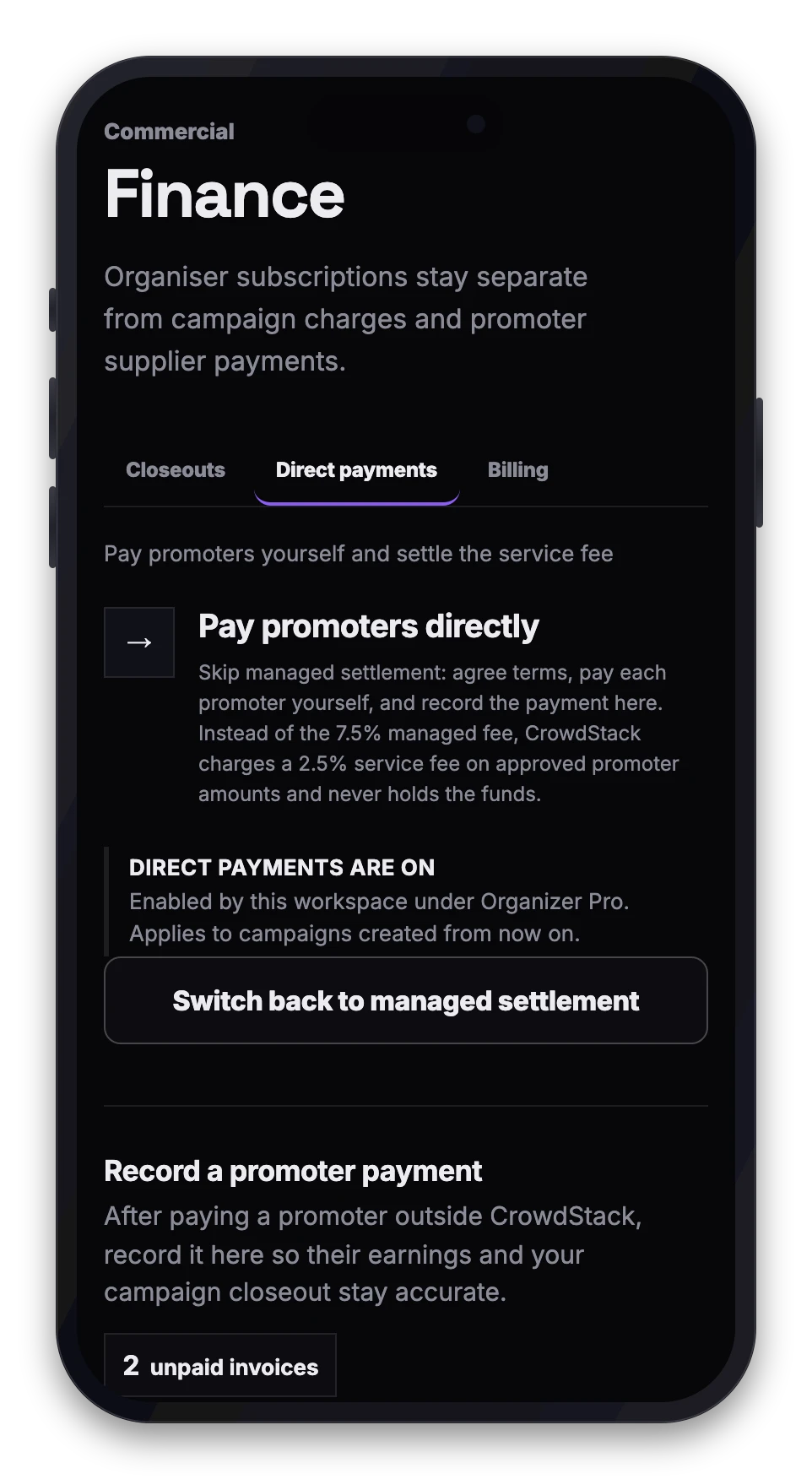
When you pay a promoter directly, Crowdstack does not send, hold or guarantee the funds. Instead, you transfer the money using your own banking arrangements and record the settlement in Crowdstack to maintain an auditable chain of attendance and compensation.
A direct settlement service fee applies to these transactions based on the approved promoter supplier amount. The default rate is 2.5%, and the rate for your workspace is agreed with Crowdstack.
Before you begin
- You must have an active Organizer Pro subscription.
- The event must be set up as an organiser-direct campaign.
- The promoter must have submitted an invoice or accepted a self-billing document.
- You must have already transferred the funds to the promoter via your preferred external method.
How to record a payment
- Open Finance in your workspace navigation and choose the Direct payments tab.
- Under Record a promoter payment, tick the approved invoices the payment covered. One record covers one promoter and one currency at a time.
- Choose the payment method (bank transfer, Wise or other) and enter the payment date.
- Add the payment reference from your bank or provider, and an optional note for your records.
- Confirm that the payment has been sent, then select Record payment.
Once recorded, the promoter's earnings status will update to show "Paid directly by organiser". The system will apply the applicable direct settlement service fee to your workspace account.
Important notes
- Verification: Crowdstack verifies the attendance figures used to calculate the amount due, but it does not verify that your external transfer was successful. You are responsible for ensuring the promoter receives the correct funds.
- Fees: The direct settlement service fee is charged on the approved promoter supplier amount, not on the total guest spend or table revenue.
- Audit trail: Recording the payment creates an immutable record in the commercial ledger, linking the verified attendance to the final settlement.