

Direct promoter settlement
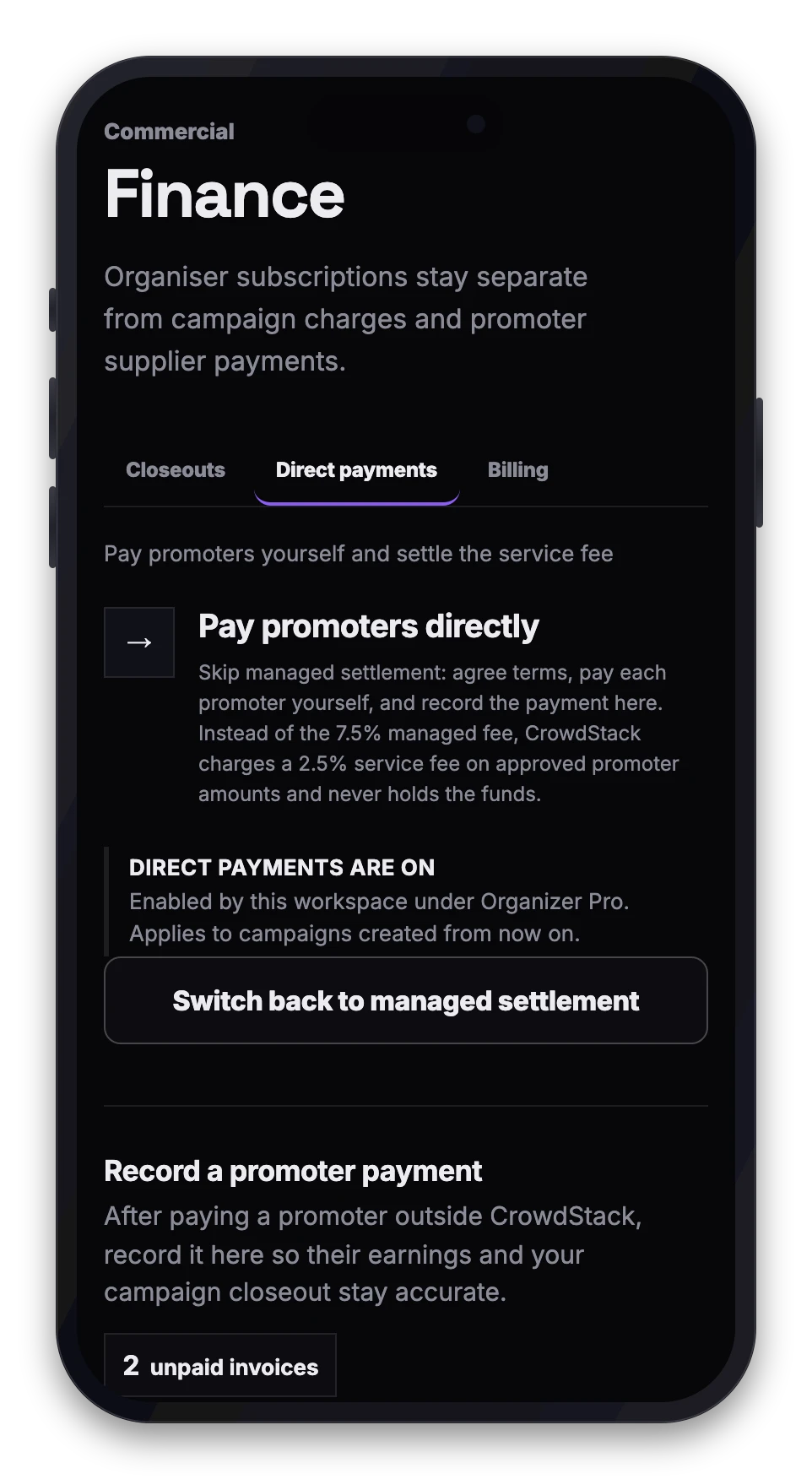
If you subscribe to Organiser Pro, you can choose to pay your promoters directly rather than using Crowdstack's managed payout service. This allows you to handle transfers through your own banking channels while Crowdstack tracks the performance data.
How it works
When you enable direct settlement:
- Crowdstack calculates the approved supplier amount based on verified attendance and your campaign terms.
- You transfer the funds to the promoter using your preferred method (bank transfer, cash, or other external means).
- You record the settlement details within your Crowdstack workspace.
- Crowdstack charges a direct settlement service fee on the approved amount instead of the standard managed-payout fee.
Fees and costs
The pricing structure differs between managed and direct settlement:
- Managed settlement: Crowdstack charges a standard fee of 7.5% of the approved promoter supplier amount. Crowdstack handles the invoice acceptance and payment transfer.
- Direct settlement (Pro only): Crowdstack charges a default service fee of 2.5% on the approved promoter supplier amount. This fee is configurable per workspace and can be set to 0% if required.
Note that processor, foreign-exchange, and payout-provider costs are separate from these service fees. When paying directly, you bear any transaction costs charged by your bank or payment provider.
Important constraints
- Verification basis: The service fee is calculated against Crowdstack's verified attendance figures, not the payment amounts you record externally.
- No fund handling: Crowdstack does not send, hold, or guarantee the payments you make directly to promoters. You are responsible for ensuring promoters receive their agreed earnings.
- Record keeping: You must accurately record external settlements in the platform to maintain a clear audit trail of campaign costs.
Enabling direct payments
To use this feature, your workspace must be on the Organiser Pro plan. You can enable direct settlement when configuring your campaign compensation settings. If you are currently on the Core plan, you will need to upgrade to Pro to access direct settlement and advanced compensation tools.
For more details on plan features and upgrading, visit your workspace billing settings.