

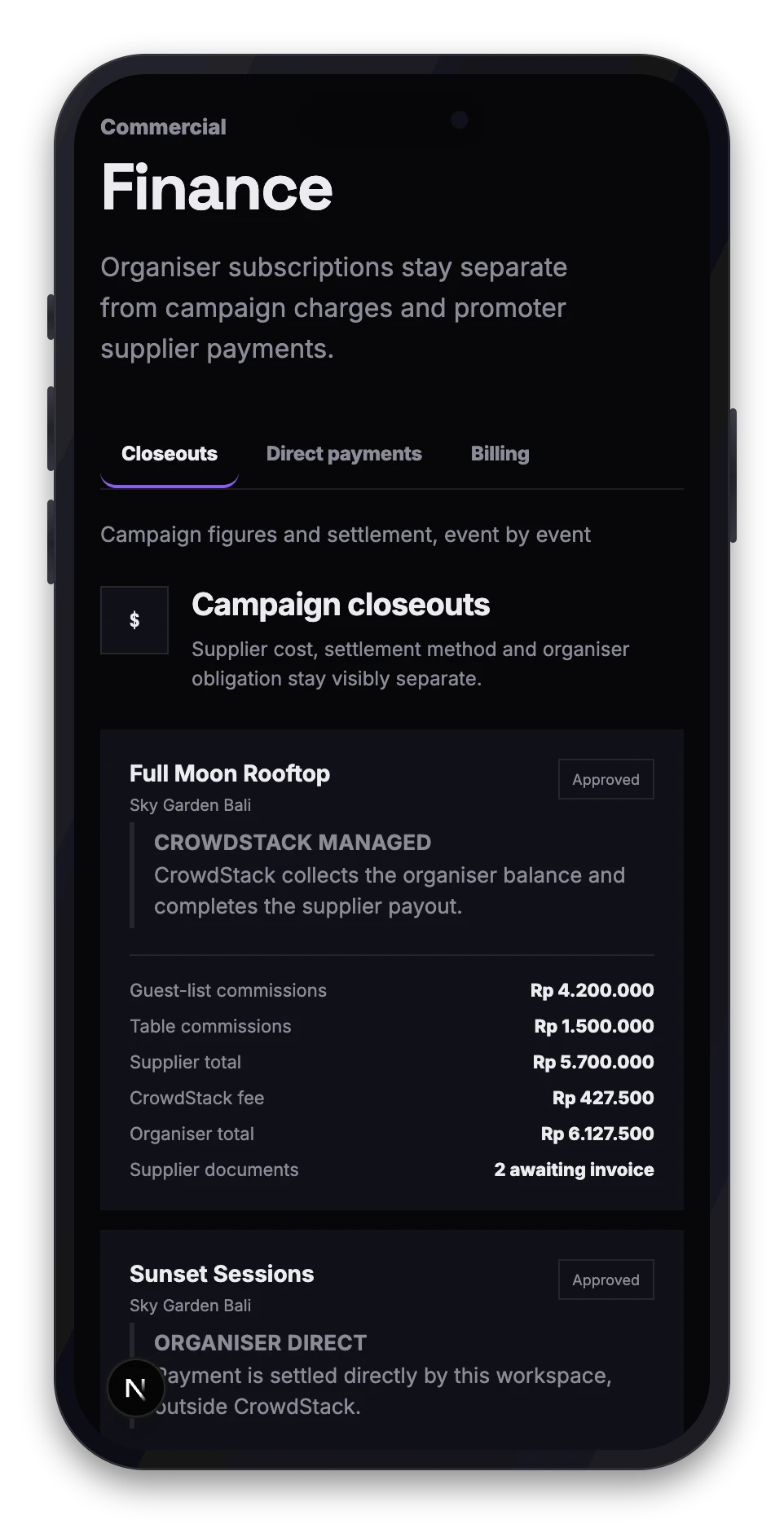
Crowdstack operates on a principal-and-supplier model. You purchase a managed promotion service from Crowdstack, while promoters contract independently as suppliers to Crowdstack. You do not pay promoters directly, and promoters do not invoice you. This structure ensures that campaign accounting, subscription billing and supplier payments remain distinct, auditable systems.
Step 1: Campaign performance and validation
Before any charges or invoices are created, the campaign must conclude and undergo review.
- Guests register and attend via promoter links. These actions accumulate as evidence, not immediately payable money.
- Once the event ends, the campaign enters a closeout review window.
- You and Crowdstack operations review exceptions and adjust performance data if necessary.
- Crowdstack locks the approved performance snapshot.
Only after this snapshot is locked can financial documents be generated. Estimated earnings shown during the event are not final figures.
Step 2: Organiser campaign charges
Once the performance snapshot is locked, Crowdstack calculates the total cost of the managed service.
- What you are charged for: The total approved promoter earnings plus the Crowdstack service margin.
- The margin: The standard managed-payout fee is 7.5% of the approved promoter supplier amount. Processor, foreign-exchange and payout costs are defined separately and are not silently deducted from promoter earnings.
- The invoice: Crowdstack issues a charge to your workspace for the total campaign cost. This is revenue for Crowdstack's service, not a deposit into a wallet.
This charge appears in your workspace Finance section. If the balance is open, you can pay it directly via secure checkout or submit proof of external bank transfer for Finance review.
Step 3: Promoter supplier invoices
Parallel to your charge, the financial obligation to the promoter is finalised.
- Invoice submission: The promoter supplies an invoice to Crowdstack for their approved earnings. In some cases, a legally approved self-billing document is used instead.
- Approval: Crowdstack reviews and approves the supplier payable.
- Payment: An approved business-payment provider executes the transfer to the promoter.
You will see the status of these payments in your campaign reports, but the actual transfer happens between Crowdstack and the promoter.
Summary of the flow
To ensure financial truth and auditability, the process always follows this order:
- Event ends: Data collection stops.
- Review: Exceptions are resolved and the performance snapshot is locked.
- Organiser Charge: You are billed for the total campaign cost (earnings + margin).
- Promoter Invoice: The promoter invoices Crowdstack.
- Settlement: Crowdstack pays the promoter.